Compartir:

Every gardener has experienced this. You spend a weekend planting a new bed of sun-loving tomatoes, only to realise, a few weeks later, that a fence casts a shadow across that exact spot from noon onwards. Or you set up raised beds in what appears to be a sunny corner, only to find that the neighbour's extension blocks the light almost entirely come late summer.
The issue isn't your green thumb. It's that sunlight in a real garden is complex. It shifts with the seasons, varies hour by hour, and is interrupted by buildings, fences, hedges, and trees in ways that are nearly impossible to visualise just by standing in the garden on a single afternoon.
That's precisely where Shadowmap comes in — and it's one of the most genuinely useful free tools a gardener can have in their arsenal.
What is Shadowmap?
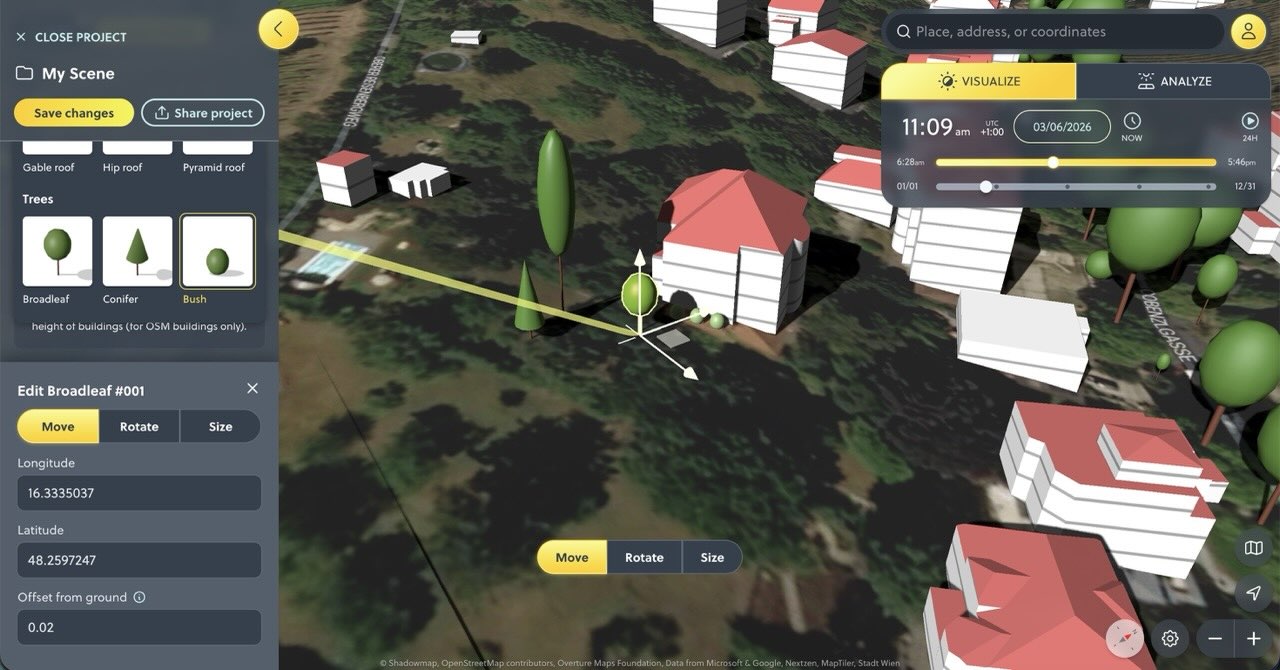
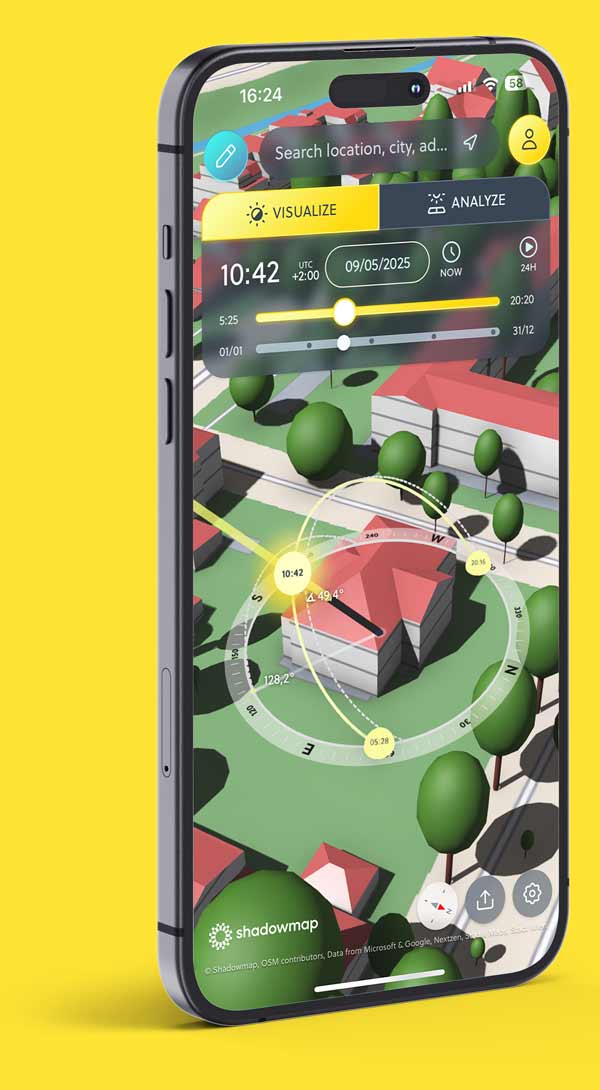
Shadowmap is a web-based 3D sunlight simulation tool that lets you visualise sunlight and shadow for any location on Earth, at any time of day, on any date of the year. You simply navigate to your address on the interactive map, and the tool renders your home and garden in 3D, complete with neighbouring buildings, trees, and terrain and shows you exactly where the sun's rays fall and where shadows land.
Used by hundreds of thousands of people every month, it was originally built with architects, solar engineers, and photographers in mind. But its "Shadowmap Home" tier has been built explicitly with gardeners and homeowners in its sights, and it shows.
Why Sunlight Mapping Matters for Gardeners
Sunlight is the single most important variable in any garden. Most vegetables need 6–8 hours of direct sun per day; many herbs need even more. Shade-tolerant plants like hostas or ferns, meanwhile, can struggle and scorch in full sun. Getting this wrong doesn't just mean disappointing harvests; it can mean dead plants, wasted money, and a lot of frustration.
The challenge is that most of us assess our gardens' sun by observation a glance at where it looks bright on a summer's afternoon. But that snapshot is deeply misleading:
The sun's path changes dramatically across the seasons. A spot that basks in full sun in June may be in near-constant shade by October, when the sun sits much lower in the sky.
Shadows from structures are longer and longer-lasting in winter. A fence or wall that barely casts a shadow in midsummer can plunge a bed into shade for most of the day in winter or early spring, just when you might be starting seedlings.
Trees are deceptive. A deciduous tree that's bare in March (when you're planning) will cast dense shade by the time your plants are in the ground in May.
Shadowmap lets you model all of this before you put a single seed in the soil.

What You Can Actually Do With It
1. See Your Garden in 3D, Across the Whole Year
Navigate to your address, and Shadowmap renders a 3D model of your property and its surroundings. Using simple time and date sliders, you can scrub through hours and months to watch shadows move in real time across your garden.
Want to know whether that south-facing border gets full sun in April? Drag the slider. Want to know what happens to light levels in that corner by late September? Drag the slider again. What would take months of careful observation can be done in minutes.
2. Find the True Sunniest Spots for Vegetables and Fruit
If you're planning a vegetable patch or a fruit cage, you want to put it where it will get the most sunlight throughout the growing season, not just in midsummer. Shadowmap's 365-day simulation lets you identify which patches of your garden genuinely receive the most hours of direct sun on average, rather than guessing based on a single visit on a sunny day.
This is especially valuable if you're starting a new garden or planning a redesign. You can compare two or three potential spots for a raised bed and confidently know which will outperform the others.
3. Identify Perfect Shady Spots for the Right Plants
It's not all about finding the Sun. If you want to grow ferns, hostas, astilbes, or a woodland-style planting, you need reliable shade. Shadowmap helps you find areas that are consistently shaded during the hottest parts of summer afternoons, ideal for plants that would otherwise scorch, while remaining bright enough in the morning to avoid becoming too damp and airless.
4. Plan Around Structures You're Thinking of Adding
Thinking of adding a pergola, a greenhouse, a garden room, or even a tall fence? Shadowmap lets you draw and place basic 3D structures in your garden model and immediately see what shadows they'll cast at any time of year. You can experiment with different heights, positions, and orientations before committing to anything.
This is invaluable for greenhouse placement in particular. A greenhouse needs maximum winter sun to be useful for year-round growing, and even a small shadow from a nearby wall or hedge can dramatically reduce its productivity.
5. Understand the Impact of Trees and Hedges
The tool includes tree data, allowing you to see how established trees affect light in your garden. If you're considering planting a new hedge or a large specimen tree, you can model its eventual height and see what shade it will cast on your beds before you plant it and wait ten years to discover the problem.
Conversely, if you're trying to decide whether to remove an existing tree, Shadowmap can show you what light you'd gain and help make the case (or dispel it) much more clearly.
6. Plan for Year-Round Harvests
For gardeners who want to grow through autumn and winter — overwintering brassicas, hardy salads, garlic, or crops under cloches — understanding winter light is crucial. The difference in available sun between a south-facing bed and a north-facing one can be dramatic in the darker months. Shadowmap makes this easy to see, and helps you allocate your most sun-hungry winter crops to the beds best placed to receive the limited winter sun.

A Practical Example
Imagine you're designing a new kitchen garden from scratch. You have a rectangular garden, roughly 15 metres deep, with a 2-metre fence along the north boundary and a neighbour's extension to the east.
Using Shadowmap, you might quickly discover that:
The northernmost third of the garden is in shade from the fence for most of the morning in winter, but becomes clear from April onwards.
The eastern edge is shaded from about 2 pm in summer and from noon in winter by the neighbouring building.
A 4-metre strip along the south-facing fence at the bottom of the garden receives full sun from around 9am to 5pm from April to September — the perfect spot for tomatoes, peppers, and courgettes.
In an hour with Shadowmap, you've got a layout that would have taken an entire growing season of trial and error to work out empirically.
Getting Started
Shadowmap has a generous free tier that lets you explore the basic sunlight and shadow simulation for any location. The "Home" subscription unlocks more detailed 3D mapping, extended object tools, and a 14-day weather and UV forecast — useful for planning outdoor work and harvests.
To get started:
Go to shadowmap.org and click Launch free app.
Type your address into the search bar.
Use the date and time sliders to explore sun and shadow across your garden throughout the year.
Take notes on which areas receive the most consistent sun across the growing season — and plan accordingly.
The Bottom Line
Gardening has always been a practice of observation, patience, and learning from mistakes. Shadowmap doesn't replace that — but it dramatically shortens the feedback loop. Instead of spending a full growing season finding out that your beans are in too much shade, you can know before you plant.
For anyone designing a new garden, adding a structure, choosing where to place a greenhouse, or simply trying to get more out of their space, it's a genuinely transformative tool. And for a free web app, the depth and accuracy of what it offers is remarkable.
Your plants will thank you.
👉 Shadowmap is free to use at shadowmap.org.
👉 The Home plan, designed specifically for gardeners and homeowners, is available as a monthly or annual subscription.
Compartilhar este artigo:
SAIBA MAIS
Visões esclarecedoras



Como visto em