Shadow Analysis Tools Compared
Share:
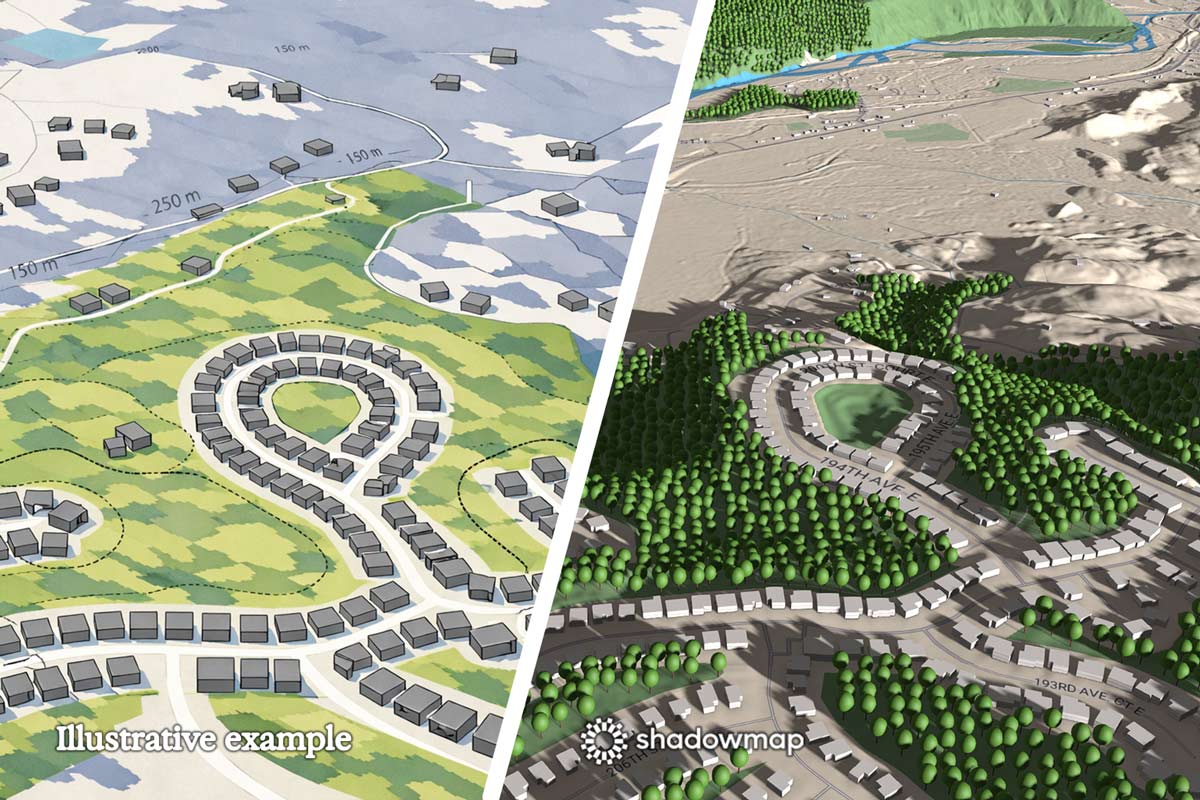
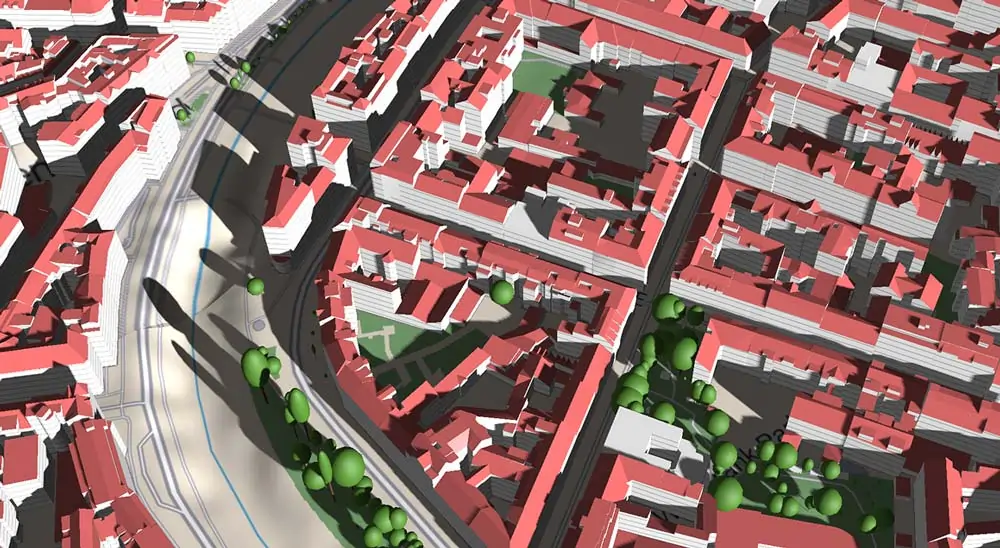
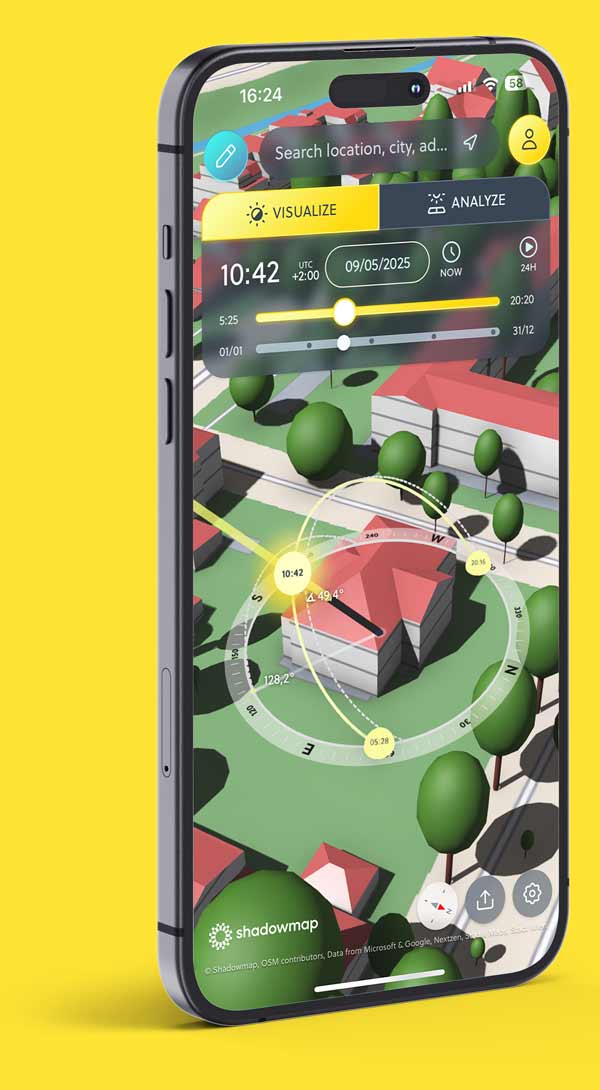
Illustrative comparison of different approaches to shadow analysis. Left: Typical shadow visualization tools (illustration) apply shadows only to the map surface, while Shadowmap (on the right, actual screenshot) simulates shadows on buildings, terrain and vegetation in one unified system.
There are many tools to visualize shadows, track the Sun or design buildings. But most of them focus on only one aspect of solar analysis.
Shadowmap brings buildings, terrain, vegetation and time‑based solar analytics together – in one interactive 3D environment. It helps homeowners, professionals and creatives understand how Sun and shadow really behave on real buildings, over time, anywhere in the world.
The comparison below explains the differences by tool category.
Three categories of tools – and their limitations
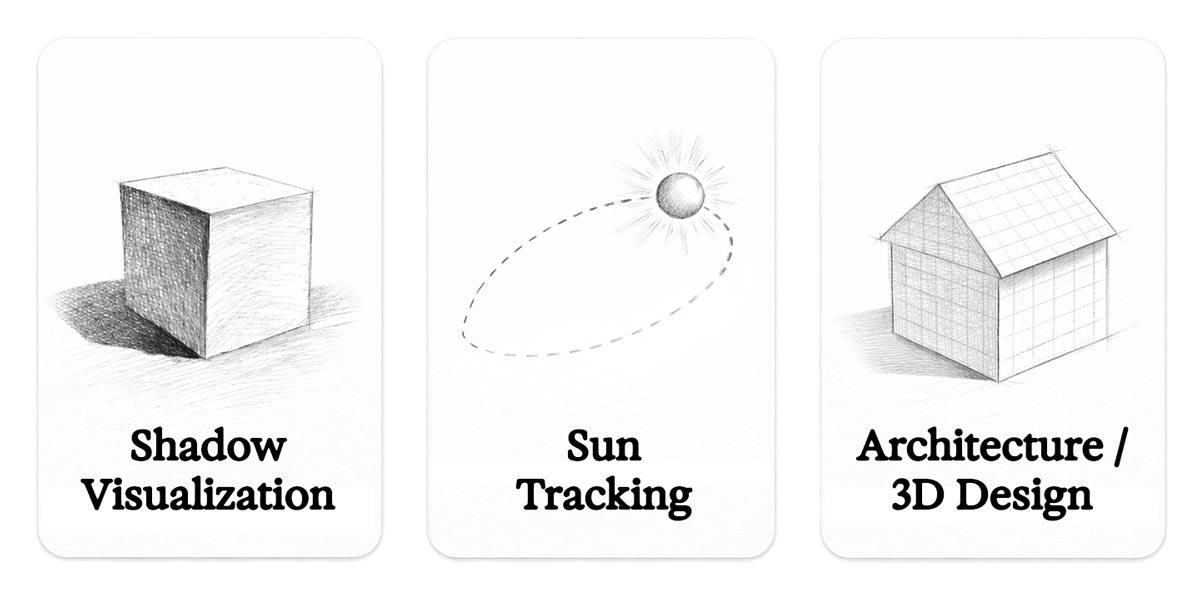
Different tool categories address different aspects of Sun and shadow analysis, but rarely combine them into a single, coherent model.
Different tools exist for different purposes. Understanding their limits explains why Shadowmap forms a new category.
| Capability | Shadowmap | Shadow Visualization Tools | Sun Tracker Tools | Architecture & CAD Tools |
|---|---|---|---|---|
| Visualized shadows | ✅ | ✅ | ❌ | ✅ |
| Interactive sun path | ✅ | Limited | ✅ | Via Plugin |
| Real-world 3D context (buildings + terrain + vegetation) | ✅ | Limited | ❌ | Limited |
| Shadows interact with building geometry | ✅ | Limited | ❌ | ✅ |
| Quantitative solar metrics (Sunscore, kWh/m²) | ✅ | Limited | ❌ | Via Plugin |
| Global world editing (hide, change + place 3D objects, roofs, trees) | ✅ | ❌ | ❌ | ✅ |
| Option to switch to Google 3D Buildings | ✅ | ❌ | ❌ | ❌ |
| Import custom 3D models | ✅ (OBJ, FBX, DAE, IFC, GLB) |
❌ | ❌ | ✅ |
| Easily share & embed projects | ✅ | ❌ | ❌ | Limited |
| Designed for fast decision-making | ✅ | ❌ | ❌ | ❌ |
“Shadow Visualization Tools”, “Sun Tracker Tools” and “Architecture & CAD Tools” refer to typical feature sets of these tool categories. Individual products may vary.
Feature availability may depend on data sources, modeling effort and configuration.
Shadow Visualization Tools
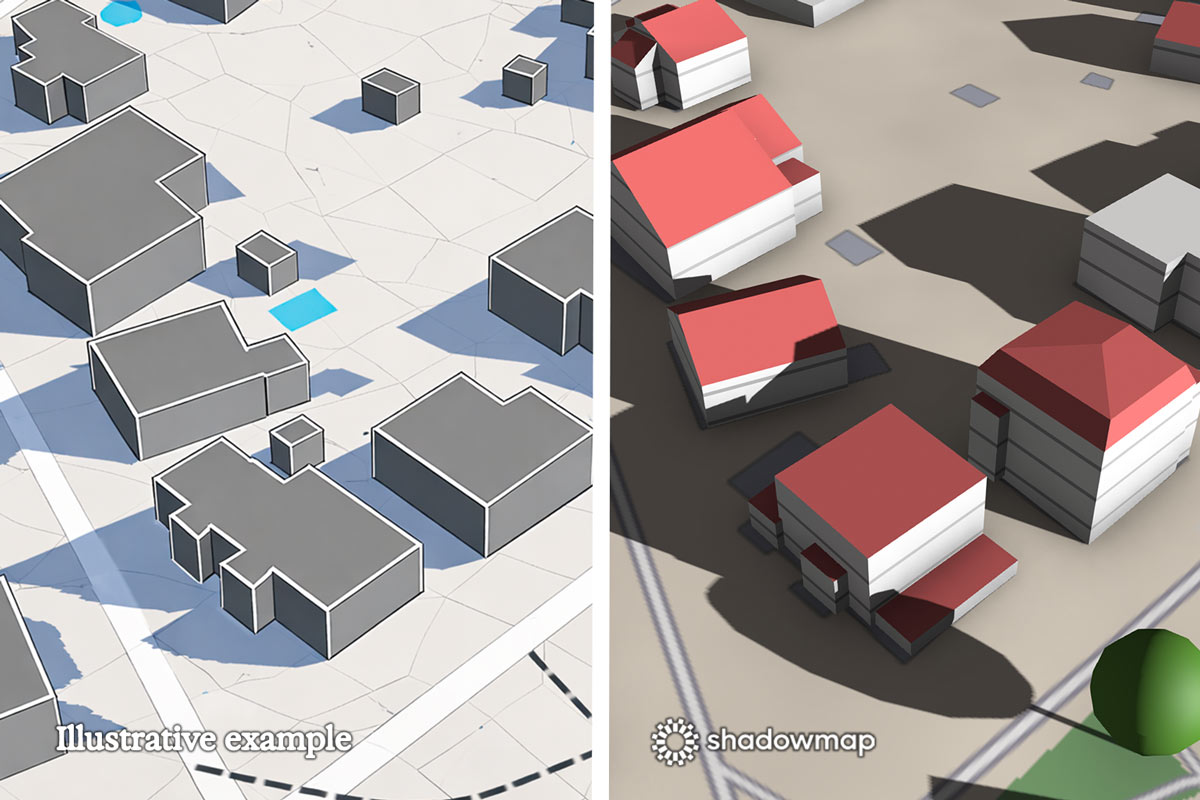
On the left: Illustrative example of a shadow visualization approach where shadows are projected onto a flat map surface, without interacting with building geometry. On the right: Shadowmap app enables shadow casting from vegetation, terrain and building data.
What they do well
Fast shadow previews
Simple visual output
Good for single moments in time
Structural limitations
No 3D terrain
Usually no combined terrain and building shadowing
No solar potential analysis
Rarely decision‑grade
Typical use cases
First visual checks
Concept validation
Inspiration and rough estimation
Sun Tracker Tools
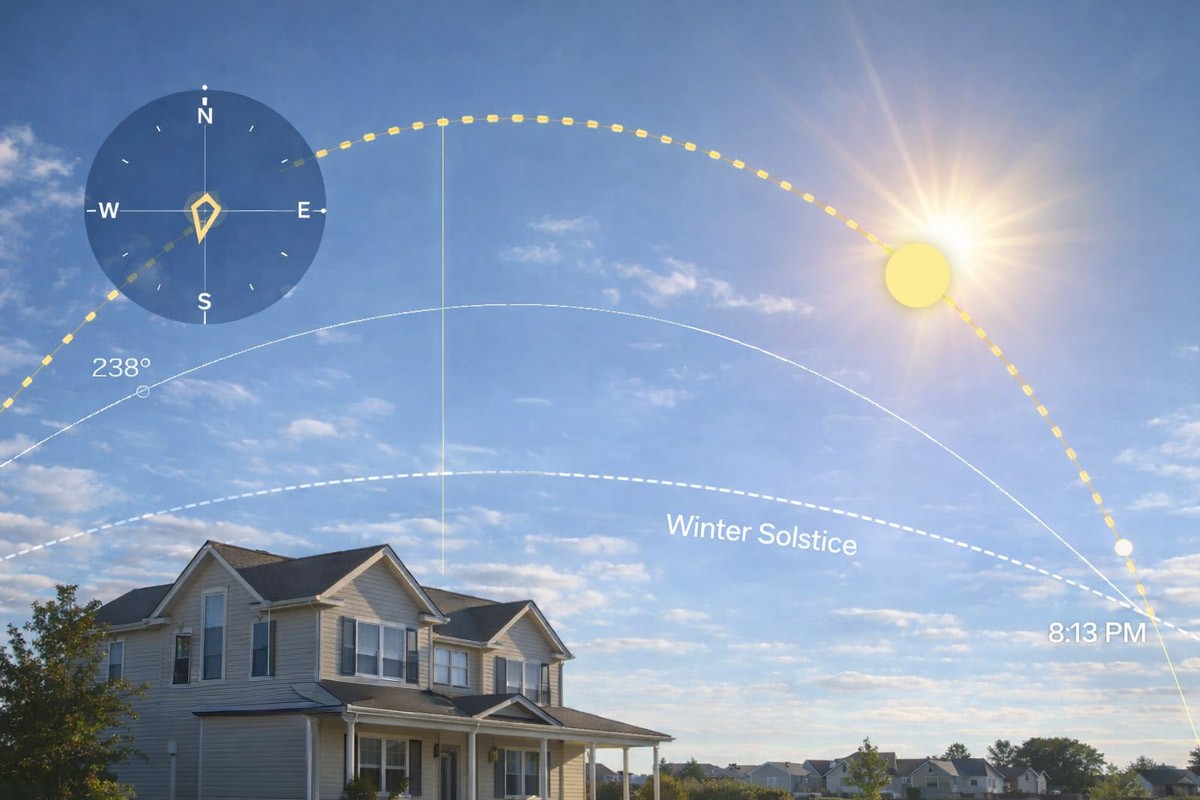
Sun tracker tools focus on the position and path of the Sun over time, without accounting for buildings, terrain or real-world shading.
What they do well
Accurate Sun path calculations on the current (physical) user position
Real‑time or AR‑based Sun position
Excellent for orientation and photography directly on site
Structural limitations
No interaction with real buildings
No terrain or vegetation shading
No solar yield or exposure analytics
Typical use cases
Photography and filmmaking
Outdoor orientation
Educational purposes
Architecture & 3D Design Tools
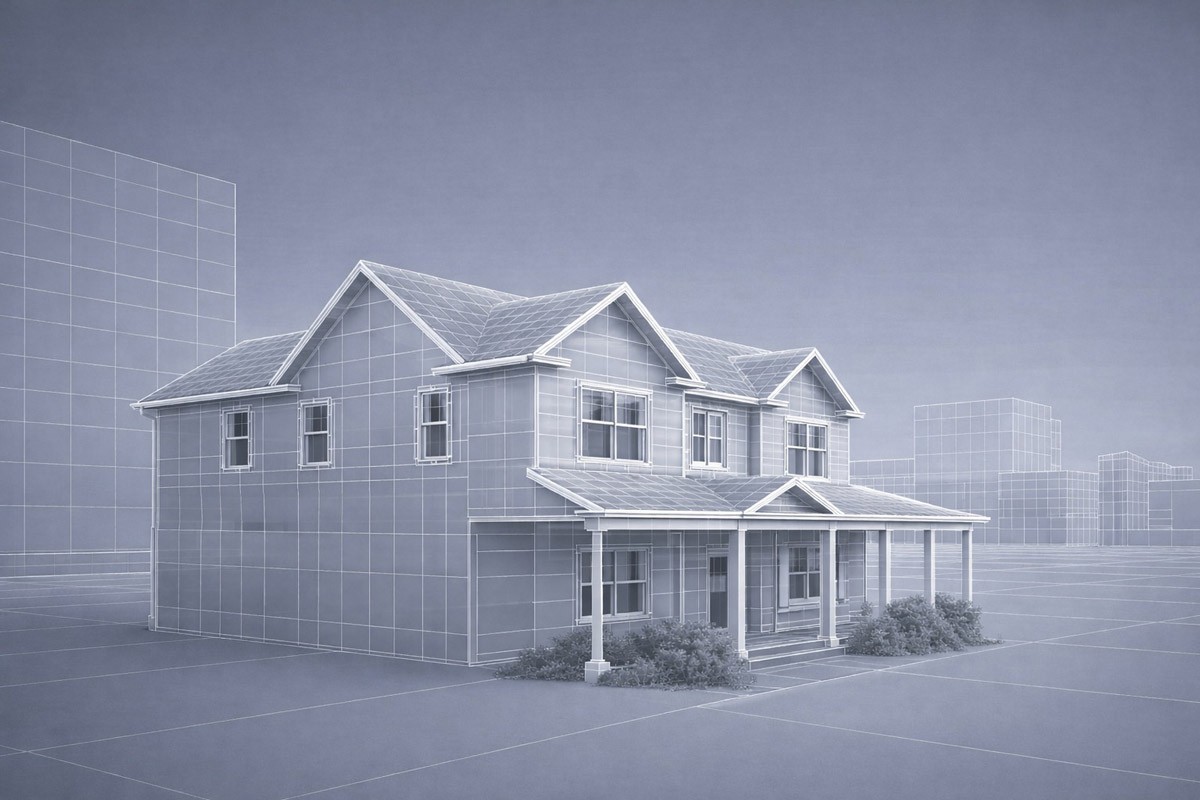
Architectural design tools prioritize geometric accuracy and modeling, with solar and shadow analysis typically handled as a secondary or add-on feature.
What they do well
High geometric precision
Detailed 3D modeling
Industry standard for planning
Structural limitations
High setup effort & learning curve
Complicated UX, made for professionals
Solar analysis often secondary or add‑on/plugin-in based
Not optimized for fast site analysis or large‑scale evaluation
Typical use cases
Architectural design
Detailed planning phases
Construction documentation
Where Shadowmap is fundamentally different
Shadowmap is not another visualization tool. It is a time‑based, data‑driven solar analytics platform.
Real‑world data unified in one system
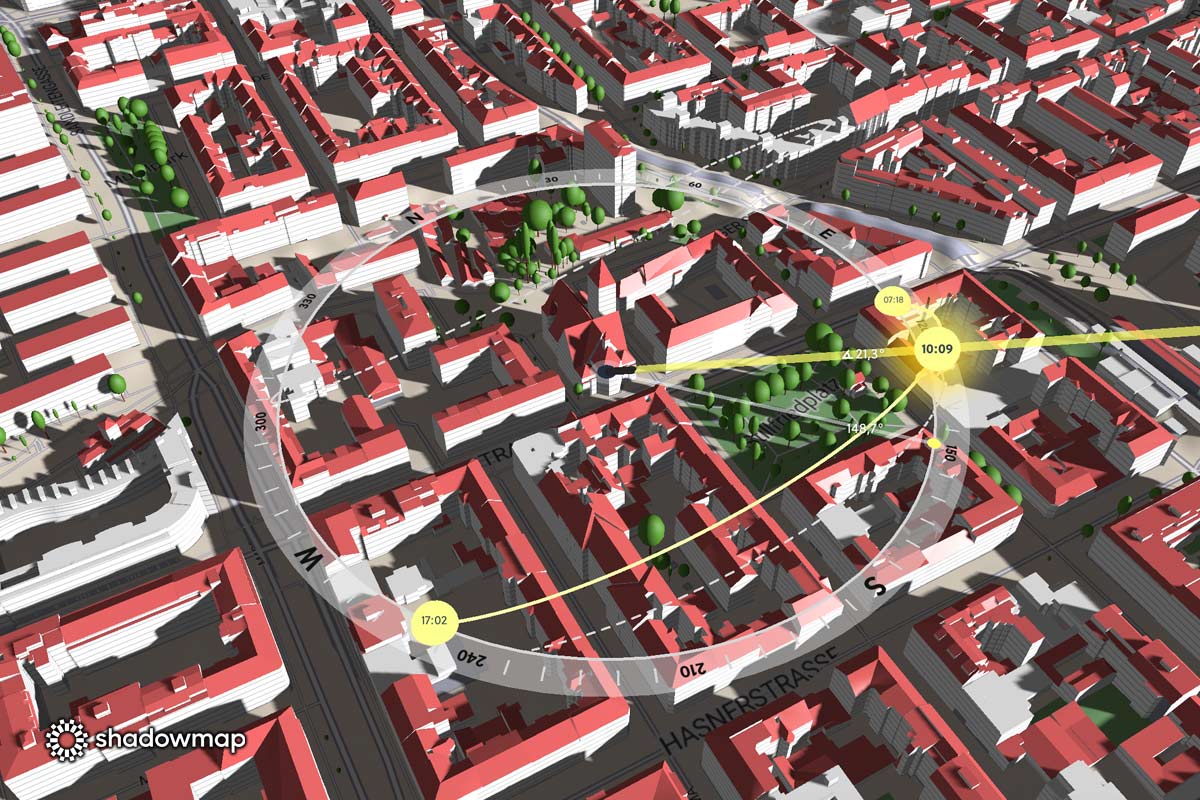
Shadowmap combines multiple real-world data layers — buildings, terrain, vegetation and time — into a single simulation environment.
Data sourced from datasets constantly evolving to reflect the real world, including OpenStreetMap maintained by millions of users worldwide – thanks go out to all its diligent contributors
Optional switch to Google 3D Buildings (photorealistic environments in available regions and cities)
High-detail LOD2 building data from sovereign open datasets where available (currently including Switzerland, Vienna, Tokyo, Berlin, and Munich, with more regions to follow)
Buildings, terrain and vegetation are combined in one simulation instead of being calculated separately.
Buildings, terrain & vegetation – together, not alternating
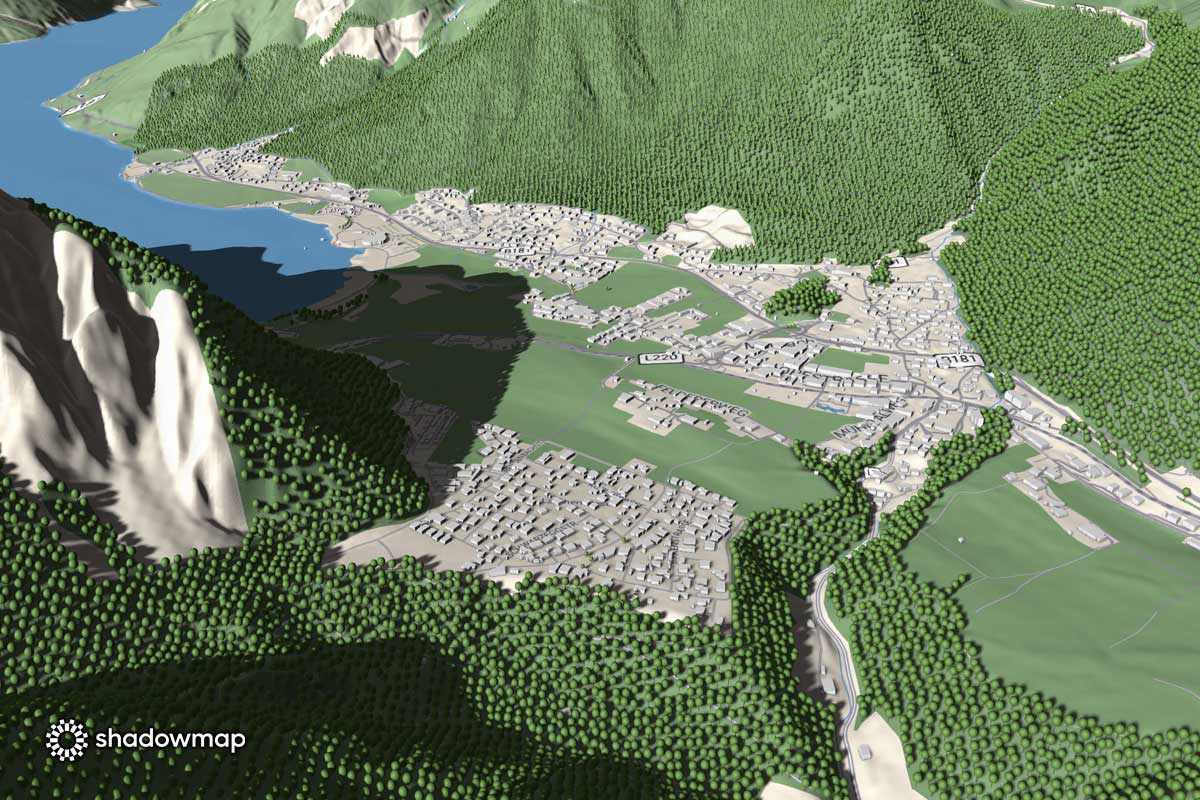
In many tools, shading effects are calculated separately. Shadowmap evaluates buildings, terrain and vegetation together in one continuous simulation.
Global vegetation from OpenStreetMap
Selectable terrain models:
Nextzen (default)
Nextzen 2
Mapbox
ESRI
Stadia
Shadowmap calculates building shadows, terrain shading and vegetation impact simultaneously on the same map.
Time‑based shadow simulation without limits
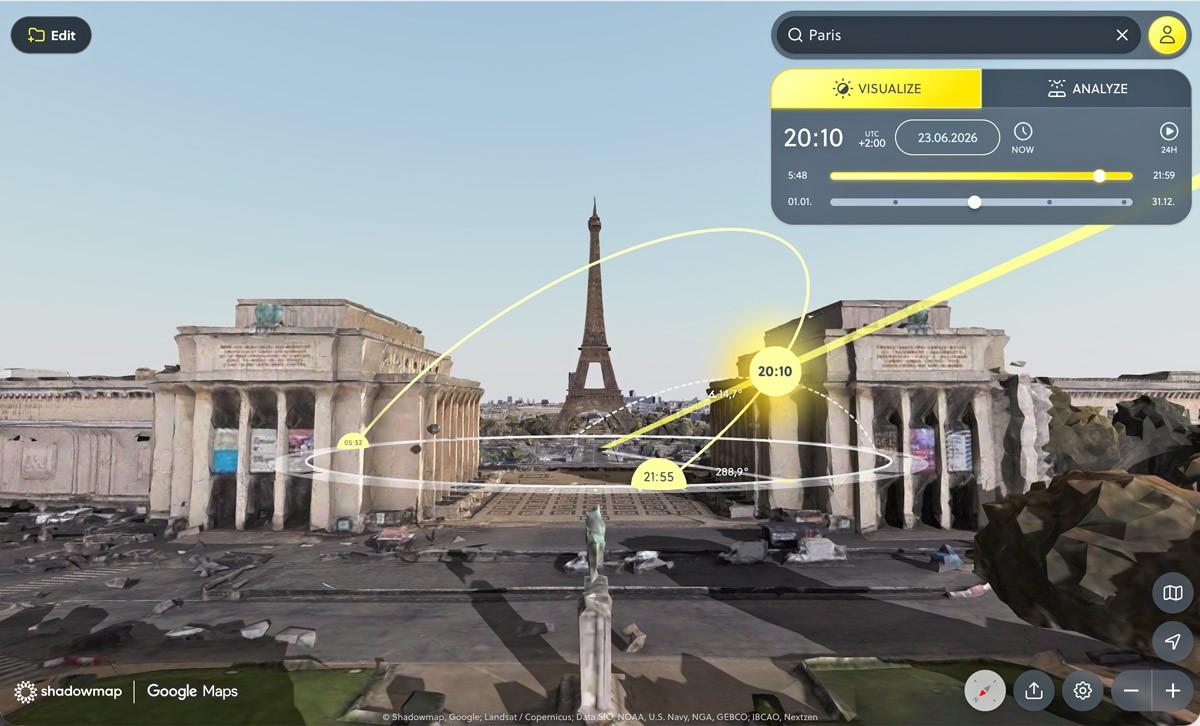
Time-based shadow simulation allows any date and time to be analyzed, including full 24-hour playback and seasonal reference points. Screenshot: Shadowmap app showing Paris and Eiffel Tower with Google 3D Buildings enabled.
Any date in the past or future
Any time of day
One‑click 24‑hour playback for a selected date
Seasonal analysis via quick jumps to equinoxes & solstices
Insights are available in seconds, without setup.
Scene control instead of fixed reality
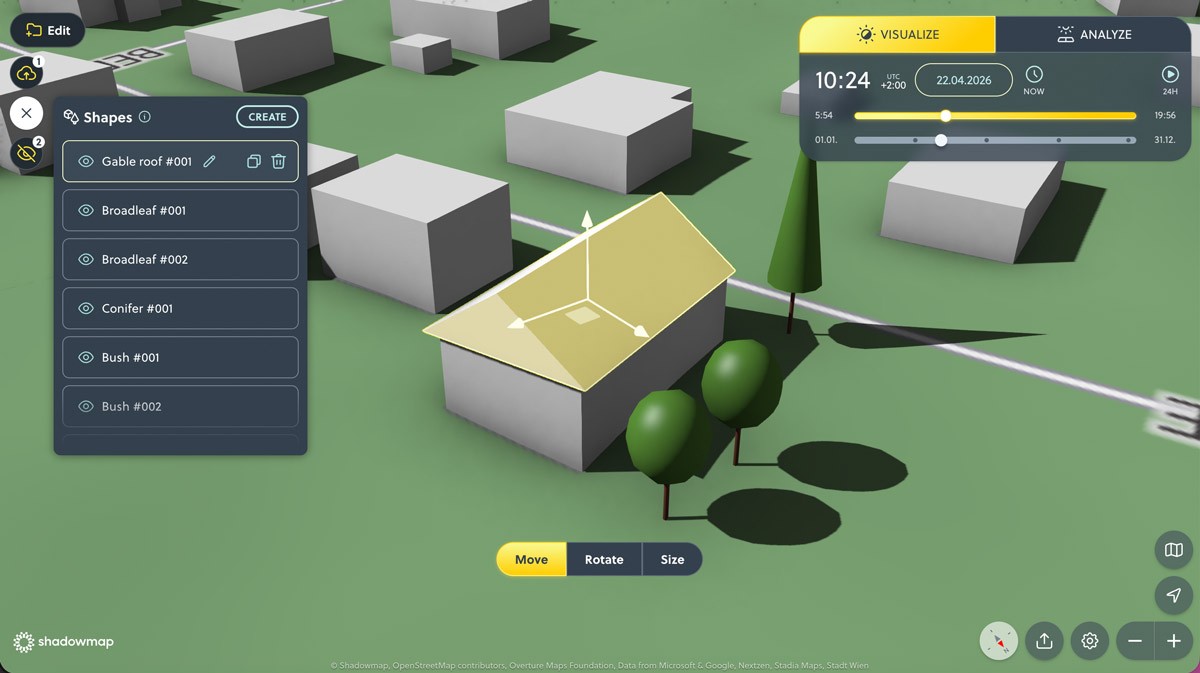
Users can hide or adjust buildings and trees and place custom 3D objects directly in the scene to simulate real-world and future scenarios.
Most tools lock users into a predefined representation of reality. Shadowmap allows you to actively control and modify the scene to test scenarios and assumptions.
Hide and adjust real-world elements
Buildings and trees can be shown or hidden individually
Building heights can be adjusted manually
Ideal for early-stage studies, what-if scenarios and incomplete data situations
This makes it possible to evaluate sunlight conditions before a building exists or to test alternative massing scenarios.
Place custom 3D objects directly in the scene
Shadowmap goes beyond passive visualization by allowing users to add geometry:
Place 3D objects such as roof shapes, cuboids, cylinders
Add different tree types
Create free-form objects directly on the map
These objects interact with sunlight and shadows in real time, making Shadowmap suitable for conceptual design, solar planning and feasibility studies.
From visualization to solar analytics
3D Solar Analytics Mode
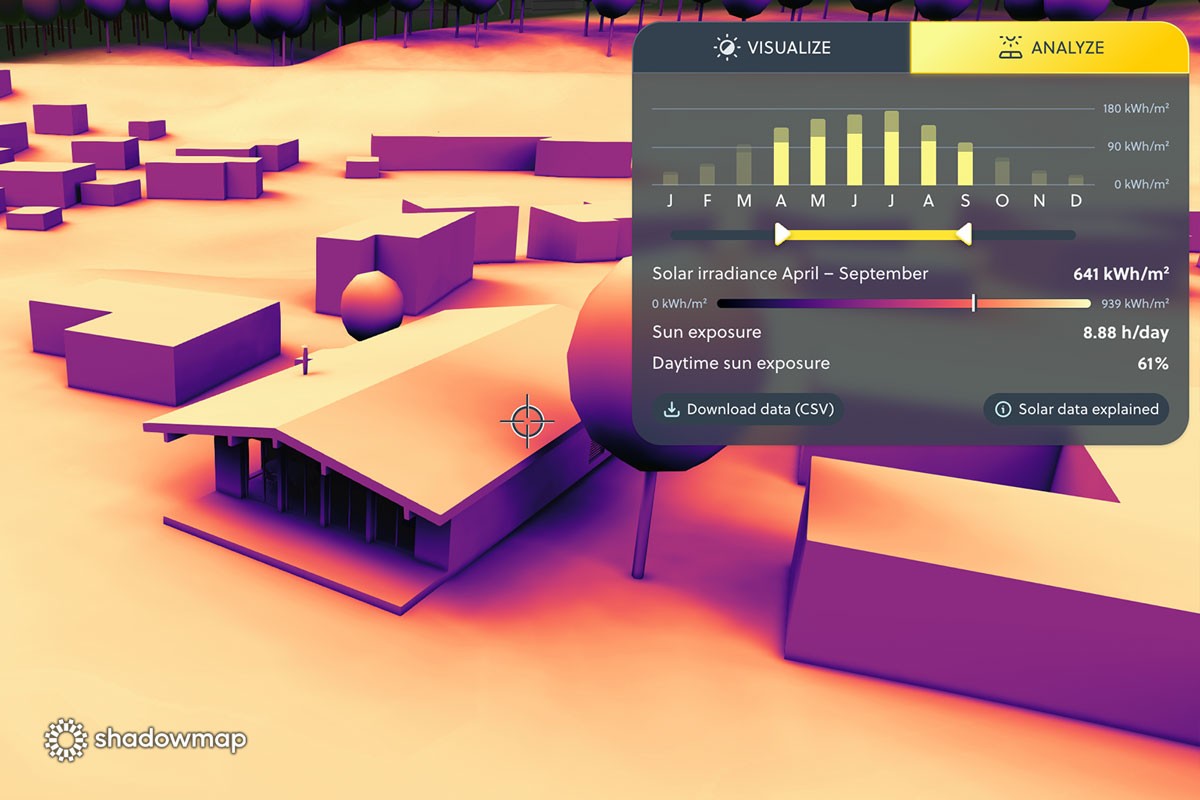
Solar analytics visualize annual and seasonal solar irradiation directly on building surfaces, enabling quantitative assessment beyond visual shadows.
Shadowmap goes beyond visual shadows with its unique 3D solar analytics approach:
Understand solar potential on any surface visible in Shadowmap. Not just rooftops or horizontal planes: vertical façades, sloped walls, complex geometries.
It respects all visible 3D objects in a 50 km radius – buildings, trees, terrain, even custom high-res 3D models.
It factors in both direct and diffuse sunlight, using real Sun irradiance and weather data recorded over the last 20 years.
It’s fully WYSIWYG (what you see is what you get): You can use our worldwide available building data and add custom geometry (cylinders, cubes, roof shapes or vegetation) or switch to Google 3D buildings mode on the fly.
The following data is calculated in seconds:
Annual solar irradiation at any point (kWh/m²)
Daily Sun exposure (hours per day)
Daytime Sun exposure (percentage)
Time‑range filtering in monthly steps (e.g. May–September or winter months only)
City‑scale heatmaps
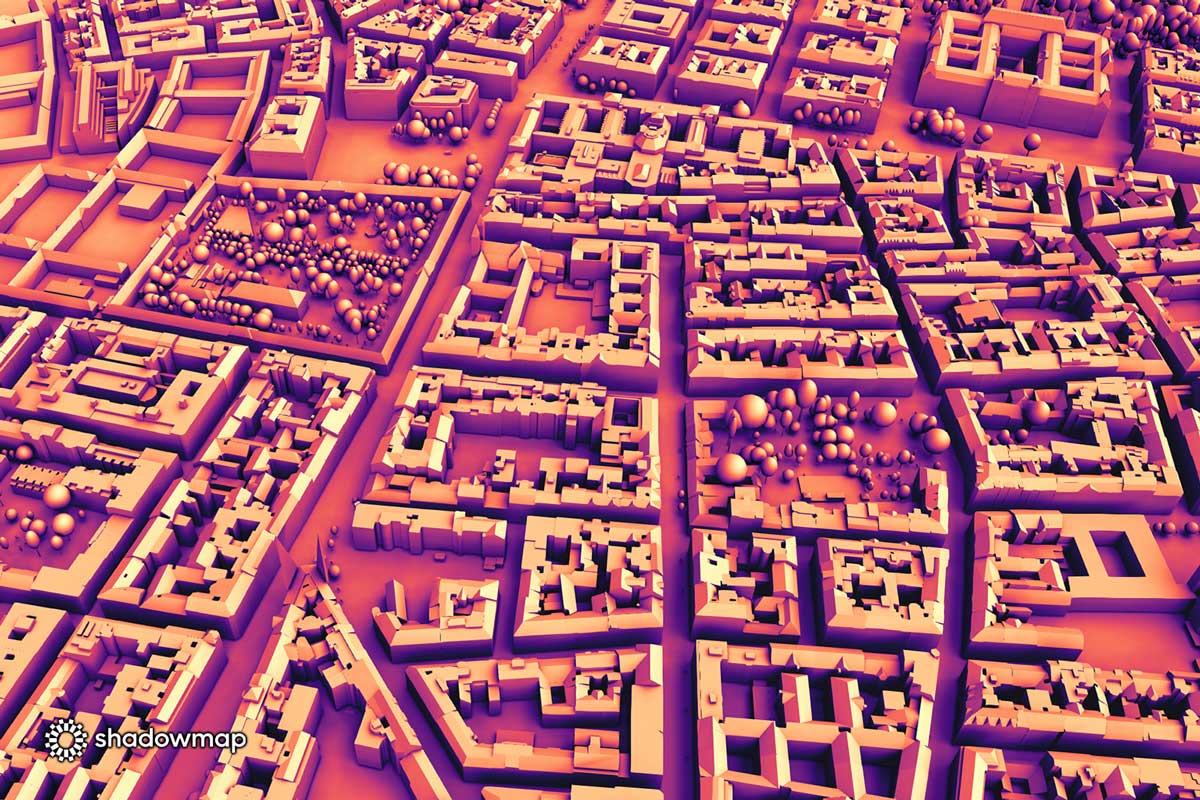
Solar analytics visualize annual and seasonal solar irradiation directly on building surfaces, enabling quantitative assessment beyond visual shadows.
Global solar heatmaps
No point measurement required
Entire neighborhoods or cities can be analyzed in 3D
This enables fast comparison and early‑stage decision making.
Ready for next‑generation solar planning
Photovoltaics panel placement (planned)
Planned for 2026:
Place PV panels on roofs or façades
Instantly estimate energy yield per surface
Support for rooftop and BIPV scenarios
Flexible workflows – from seconds to professional pipelines
No setup required, but fully extensible
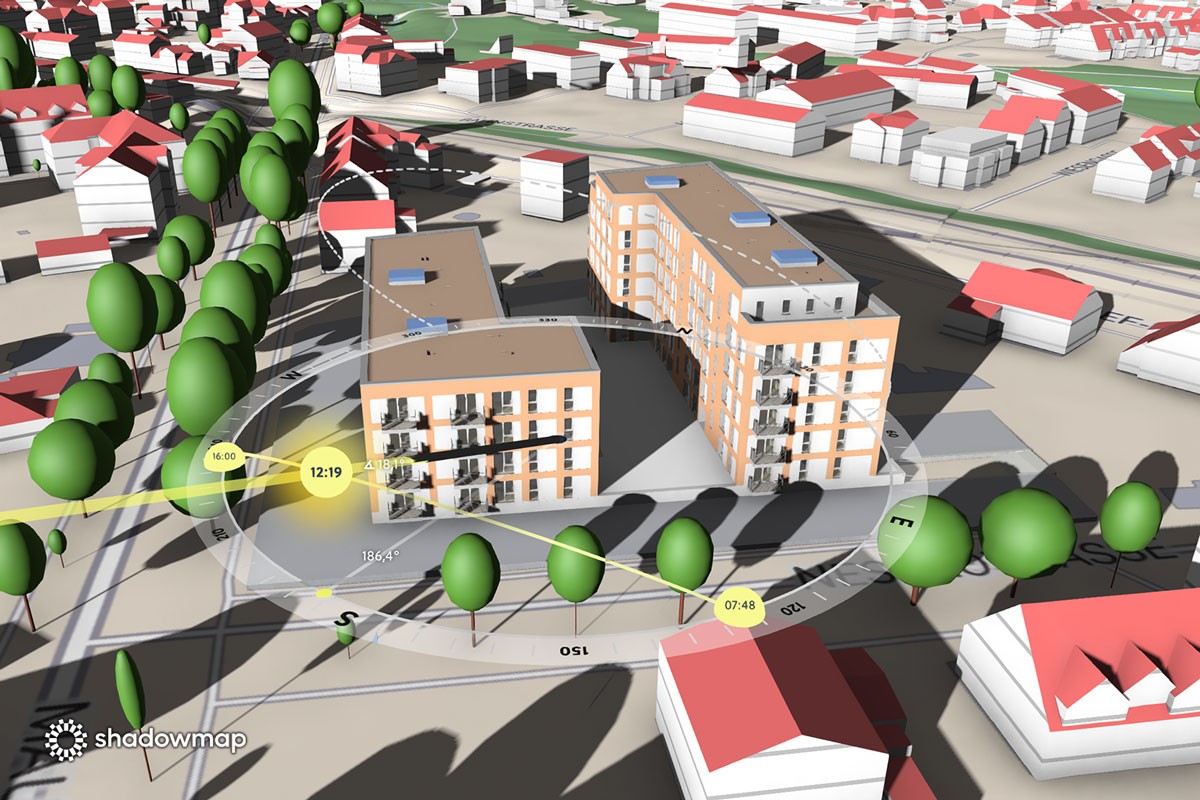
Shadowmap supports both instant analysis with default data and advanced workflows through optional custom 3D model imports.
Instant analysis using default data (global Overture Buildings)
Optional import of custom 3D models
Supported formats: OBJ, FBX, DAE, IFC, GLB
Relevant for real estate, architecture and solar professionals.
Shareable and embeddable insights
Share Shadowmap projects via link
Embed interactive views in a website
Ideal for presentations, reports and marketing
Who Shadowmap is built for
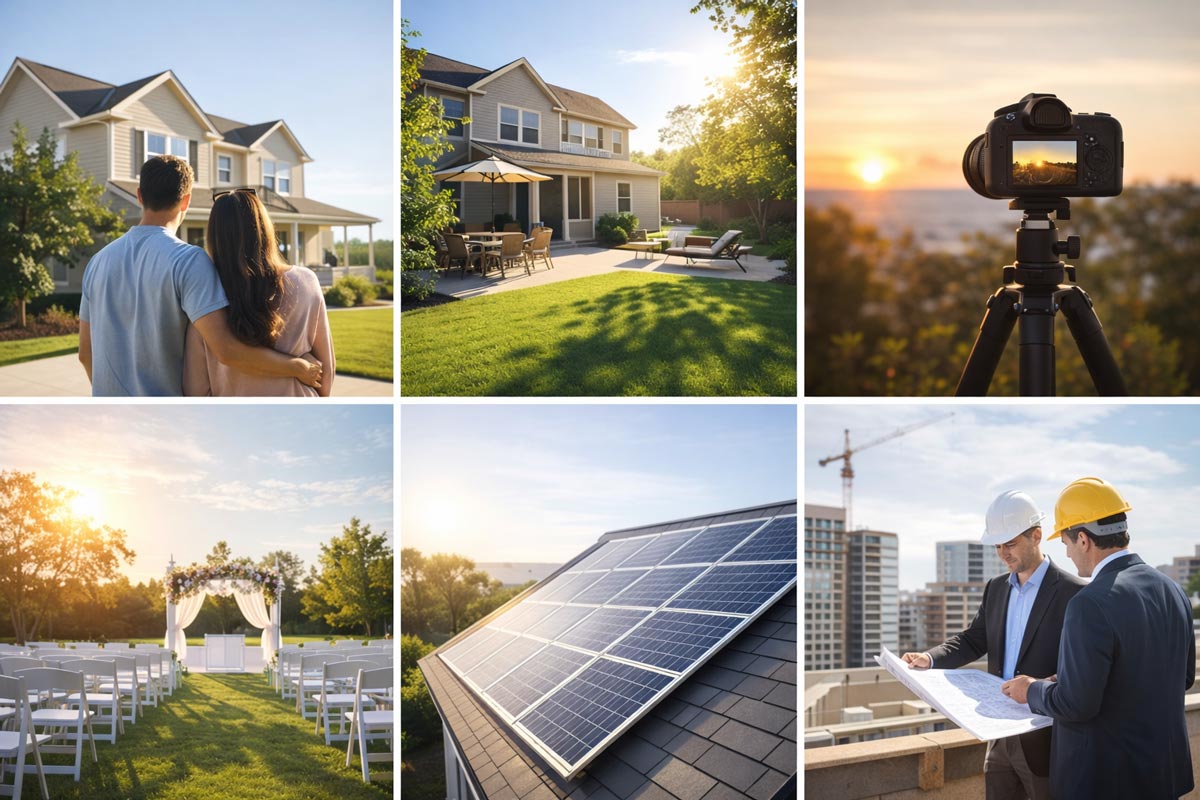
Shadowmap is used by both individuals and professionals, from home seekers and gardeners to photographers, planners and solar experts.
Everyday decisions powered by real Sun data (B2C)
Home seekers & homeowners
Apartment and house hunting
Estimation about seasonal sunlight in rooms
Balcony, terrace and garden planning
Buying and renting decisions
Shadowmap turns assumptions about sunlight into measurable reality.
Gardening & outdoor living
Garden and patio Sun exposure
Seasonal shading from buildings, terrain and vegetation
Planning planting zones, raised beds, seating areas and pergolas
Creative & planning use cases
Photography & videography
Exact Sun position for any date and time
Shadow length and direction forecasting
Golden hour and shadow‑free time windows
Event planning
Outdoor events, weddings and pop‑ups
Avoiding unwanted shade or glare
Time‑based planning for ceremonies and photography
Professional & B2B use cases
Project developers
Urban planning & municipalities
Real estate marketing and platforms
Zoning and development studies
Solar installers and consultants
BIPV and façade planning
Summary
Most tools solve only parts of the problem.
Shadowmap answers the real question:
How much Sun does this exact place get – over time, in reality, on this specific building?
Shadowmap is not just a tool. It defines a new category of solar understanding.
Share this article:
AS Seen On